I have been running madebynathan.com on GitHub Pages since 2010, and ndbroadbent.com for years after that. In all that time I never verified either domain. I did not know I was supposed to. The custom domain worked, the site was up, and nothing ever complained.
Then I set up this blog, went looking for the correct way to attach a domain, and found a settings page I had never opened.
What verification actually protects you from
GitHub Pages works out which repository to serve by matching the Host header of the request against whichever repo has claimed that custom domain. Your DNS points at GitHub. GitHub looks up who owns the name.
The problem is what happens when nobody owns it.
If the claim ever lapses, and your DNS still points at GitHub, the domain sits there unclaimed. Delete the repository, rename it, disable Pages, or let a bad build wipe the CNAME file, and the binding disappears while the DNS records stay exactly where they were. At that point anyone can create a repository, set your domain as its custom domain, and GitHub will serve their content on your address.
GitHub’s own documentation is blunt about it:
Domain takeovers can happen when you delete your repository, when your billing plan is downgraded, or after any other change which unlinks the custom domain or disables GitHub Pages while the domain remains configured for GitHub Pages and is not verified.
Verification binds the domain to your account permanently. Other accounts are then refused, whether or not one of your repositories is currently using it.
If you sit behind Cloudflare like I do, the failure is worse rather than better. Cloudflare would proxy the attacker’s page and serve it under your own certificate. There would be no browser warning and no broken padlock, just somebody else’s content on a domain with fifteen years of backlinks pointing at it. That is a good home for a phishing page.
How to do it
Open github.com/settings/pages, click “Add a domain”, and paste in the domain. GitHub gives you a TXT record to create, in the form _github-pages-challenge-USERNAME.example.com, with a random value. Add it at your DNS provider, wait a few seconds, and click Verify.
That is the whole process. It costs nothing.
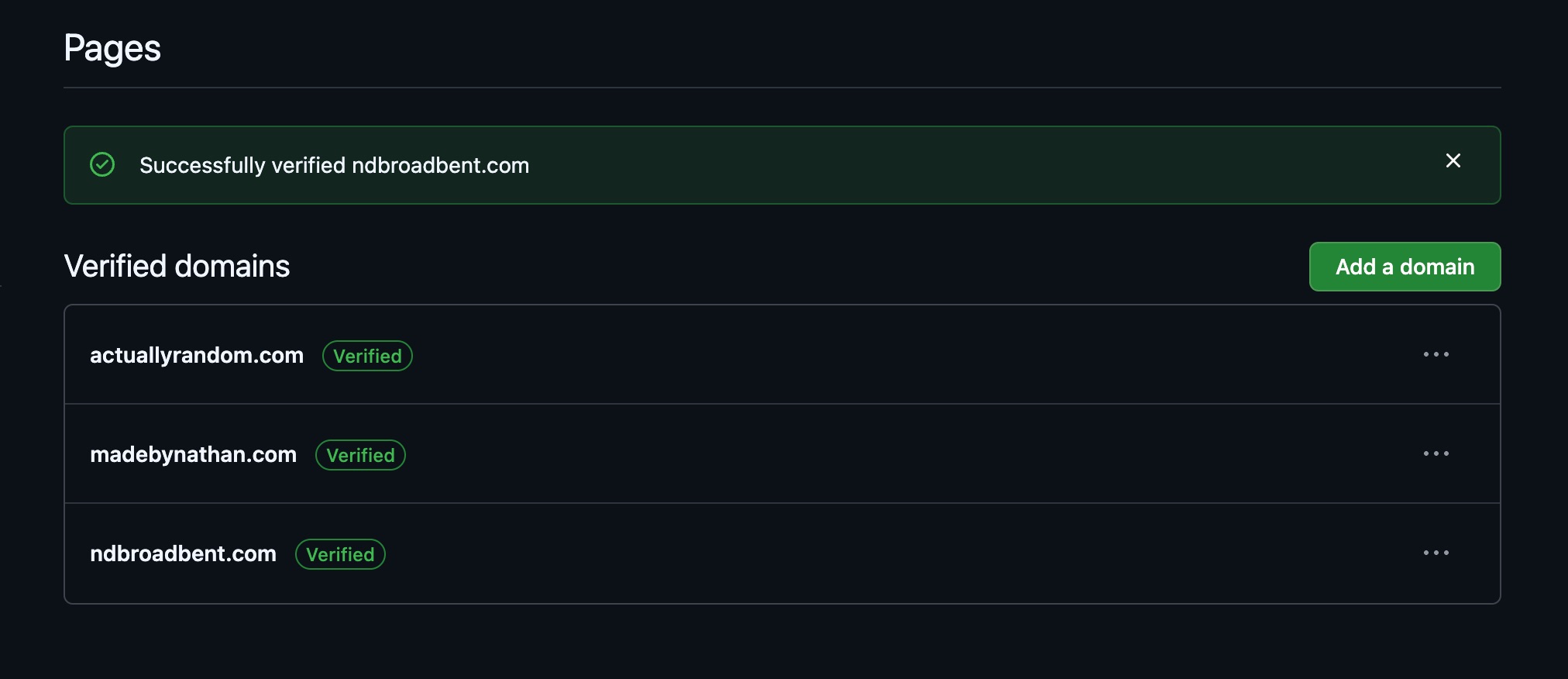
Leave the TXT record in place afterwards. Deleting it un-verifies the domain, which quietly puts you back where you started.
Three things that are not obvious
Verification happens at the account level, not the repository level. There is no verify button in a repository’s settings. This matters because the challenge hostname contains the account name, so a domain served from an organisation must be verified in that organisation’s settings, with a hostname like _github-pages-challenge-ORGNAME.
Verifying a domain also covers its immediate subdomains. From the docs:
When you verify a domain, any immediate subdomains are also included in the verification. For example, if the
github.comcustom domain is verified,docs.github.com,support.github.com, and any other immediate subdomains will also be protected from takeovers.
I did not have to do anything for this. I have a small site at dotfiles.ndbroadbent.com, and the moment ndbroadbent.com was verified, the subdomain flipped to protected on its own.
The third one nearly caught me out. Because verification is per account, and because it reaches into immediate subdomains, an apex domain owned by one account and a subdomain owned by another will collide. ndbroadbent.com was being served out of a GitHub organisation I had created years ago, while dotfiles.ndbroadbent.com lives in my personal account. Verifying the apex from the organisation would have protected the subdomain on behalf of the wrong account, and my personal account would have been the one locked out.
Verifying it from my personal account instead would have been worse. That would have blocked the organisation that was actually serving the live site.
I moved the repository to my personal account and verified from there, so all four sites now sit under one owner. The transfer turned out to be trivial, because the repository had no Actions workflows and no secrets. Secrets are the thing that usually breaks when you move a repository between accounts, and it is worth checking for them before you click the button.
Was I ever actually at risk?
Not really, in the sense that nothing bad happened. The custom domains were continuously claimed by repositories I own, so there was never a window for anyone to grab them.
But “I never happened to delete that repository” is a poor security control. The window opens automatically on the day I rename a repo, retire an old site, or push a build that drops the CNAME file. I would not notice, because the DNS would still resolve and the site would still load right up until it did not. The whole point of verification is that it removes the window rather than relying on me never opening it.
Fifteen years is a long time to leave a five-minute job undone. If you have a custom domain on GitHub Pages, go and check the settings page now.
Sources
- Verifying your custom domain for GitHub Pages. GitHub Docs.
- Managing a custom domain for your GitHub Pages site. GitHub Docs.